Gordon Food Service Shows
Gordon Food Service, IncEvents
4.25.00 Reviews
- Version
- 9.69.0
- Installs
- 10.00K
- Age Rating
- Everyone
Screenshots
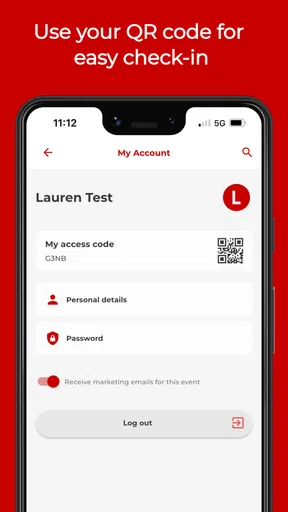
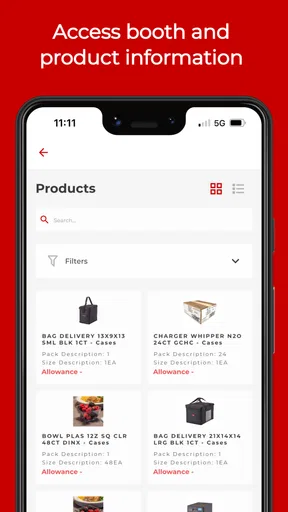
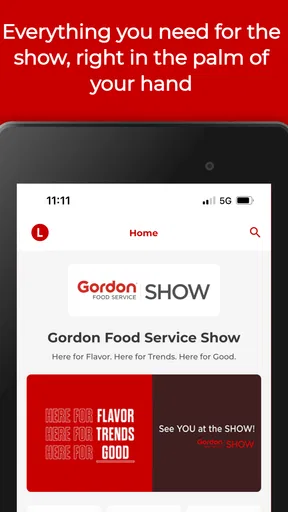
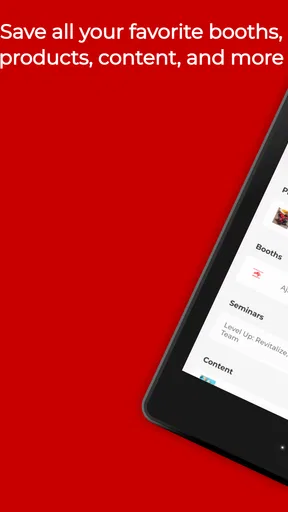
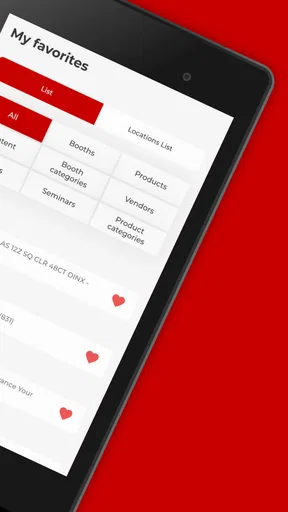
Our Review of Gordon Food Service Shows
 Analysis by Appyee
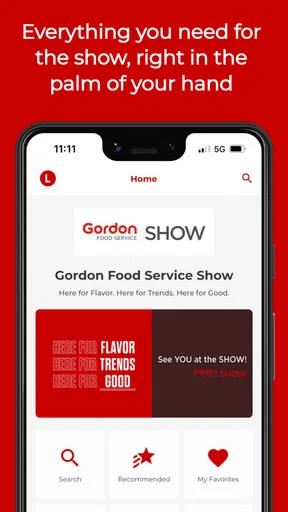
Trade shows can be surprisingly difficult to navigate from a phone. You may be moving between rooms, trying to remember which presentation you wanted to attend, or looking for the right Gordon Food Service contact while your attention is split between conversations. Gordon Food Service Shows is built for that particular setting: it is an events app intended to support the Gordon Food Service trade show experience rather than serve as a general event planner.
I see its main value in bringing event information closer to the moment when you need it. Instead of treating a trade show as a collection of printed schedules, signs, business cards, and scattered notes, the app gives the event a mobile reference point. That sounds simple, but simplicity matters when you are standing in a busy venue and do not want to search through a long email thread.
After spending time with it, my impression is that this is a focused companion for attendees who are already connected to a Gordon Food Service event. It is free, available to an Everyone audience, and developed by Gordon Food Service, Inc. Its average rating is 4.2 from around twenty ratings, with five written reviews, so the public response is encouraging but still fairly small. I would treat it as a useful event tool, not as a broad restaurant-management or food-ordering application.
How the app fits into a trade show day
The first thing to understand is the app’s narrow purpose. It is not trying to replace every tool on your phone. Its role is to make a Gordon Food Service trade show easier to follow while you are attending it. That means its usefulness depends heavily on whether you are going to one of the events it supports and whether the event information has been made available inside the app.
That focus is a strength. General calendar apps can hold appointments, but they rarely give a trade show enough structure. A normal calendar may tell you that you have a session at a certain time, yet it will not necessarily help you connect that session with an exhibitor, a venue area, or the rest of your visit. A notes app can store reminders, but it leaves you responsible for organizing everything yourself. This app is more appropriate when you want event material arranged around the show instead of around your personal filing system.
It is also worth setting expectations before downloading it. The store summary describes a mobile event app for enhancing the Gordon Food Service trade show experience. I would therefore approach it as an attendee companion, not as a complete communication platform or a permanent business directory. If your goal is to manage unrelated conferences, compare venues, or keep a general list of food-industry events, a broader event-management service will probably be a better fit.
In practical use, I would open it before leaving for the venue and spend a few minutes becoming familiar with the event area. That small preparation step is more valuable than waiting until the floor is crowded. I would also keep the most important appointments in my normal calendar. The app can be the event-specific layer, while the calendar remains the place where the rest of the day is organized.
Why connectivity matters at the right moments
The app’s usefulness is closely tied to the moments when your phone can reach the event information it needs. Before the show, a stable connection makes it easier to load the current event material and review what you plan to see. During the show, connectivity becomes important whenever you need to refresh information, move between sections, or check something that was not already on your screen.
This creates a practical trade-off. A mobile event app is more convenient than carrying printed pages, but it also places part of the experience on your phone and the venue’s network conditions. Crowded trade shows are exactly the kind of places where many attendees may be using their phones at once. Even a well-designed app cannot make a weak signal behave like a strong one.
For that reason, I would not wait until I am standing at the entrance to explore everything. I would open the relevant screens while the connection is reliable, note the details that matter most, and take a quick look at how the app responds after moving around. This is not a claim that the app provides offline access; it is simply sensible preparation for any event tool whose information may need to load over a network.
A useful habit is to separate “must remember” information from “nice to check.” If there is a presentation, meeting point, or contact detail that would disrupt your day if forgotten, I would write it down elsewhere as a backup. Less important browsing can wait until the connection improves. This approach prevents a temporary loading delay from turning into a missed appointment.
Using it while walking, waiting, and talking
Trade show apps are used in motion, and that changes what good usability means. You may have one hand occupied with a bag or samples, a conversation happening beside you, and only a few seconds to glance at your screen. I found that the best way to use an app like this is in short sessions rather than as a screen you keep open continuously.
Before entering a busy area, I would check the next thing I care about. Then I would put the phone away and focus on the people around me. When a conversation ends, I could return to the app and update my plan. This rhythm is more comfortable than trying to navigate menus while walking, and it reduces the chance of missing a useful discussion because I was staring at the display.
It can also help during waiting periods. If you arrive early for a scheduled activity, the app gives you a reason to use that spare minute productively: review the next part of the event, confirm where you intend to go, or decide which areas deserve your limited time. I would avoid treating every listed item as mandatory. Trade shows reward flexibility, and an app should support your judgment rather than make the day feel like a checklist.
For a small food-service business owner, a realistic scenario might look like this: you arrive with a short list of suppliers, topics, and people you hope to meet. You use the event app to orient yourself, attend the most relevant part of the show, and then return to your own notes after each conversation. The app handles the event context; your notes capture the personal business details that only you can evaluate.
That division of labor is important. I would not expect an event app to remember the meaning of a conversation automatically or replace a proper customer relationship system. Its job is to help you stay oriented. Your own notes, calendar, and follow-up process still matter once the show is over.
What happens when the connection is unreliable
Connectivity problems are not always dramatic. Sometimes a screen loads slowly, an update takes longer than expected, or a venue signal changes as you move from one area to another. The most useful response is to avoid making the app your only source of critical information. I would review the important material before the busiest part of the day and keep essential details in a second place.
If something does not appear immediately, I would first check whether the phone has a usable connection, then try again from a less crowded location rather than repeatedly tapping the same control. Moving closer to an open area or waiting a moment can be more effective than assuming the app itself has failed. I would also keep the application updated through the normal store process, especially because the current version is 9.69.0 and later updates may affect compatibility or event content.
The app supports devices running Android 7.0 or later, which makes it accessible to many older Android phones. That is helpful for attendees who do not replace their phone frequently, although age and hardware still affect the experience. A device with limited storage, a tired battery, or a slow connection may make any event app feel less responsive. I would charge before the show and avoid unnecessary background activity if I expected to use the phone throughout the day.
Recovery is also about keeping calm. If the app is temporarily inconvenient, I would return to the last information I already reviewed, ask event staff for immediate directions, and try the app again later. That is one reason I prefer using it as a companion rather than as the sole authority for every decision. An event app should reduce friction, but a sensible backup plan keeps a technical interruption from controlling the day.
Managing data and battery without overthinking it
Because this is a mobile event tool, I would use it deliberately rather than leave it running all day. Open it when you need event information, close it when you are finished, and use a venue connection when it is trustworthy and available. I would not assume that every venue network is private or reliable, so I would follow my normal caution with sensitive account activity.
There is also a difference between event information and personal business information. I would be comfortable using the app to consult show material, but I would avoid entering confidential customer details, pricing discussions, or private notes unless the app clearly provides a suitable reason and protection for doing so. My preferred workflow is to keep sensitive follow-up notes in the business tools I already use and let the event app remain focused on the event itself.
Battery planning is easy to overlook. Trade shows often involve photos, messages, maps, email, and calls in addition to the event app. I would carry a charger or power bank if I expected a long day, and I would lower screen brightness when practical. These are ordinary phone habits, but they matter because losing access to your phone can affect far more than the event application.
For people concerned about mobile data, the safest approach is to prepare while connected to a dependable network and avoid repeatedly refreshing pages without a reason. I would also check the phone’s data settings if my plan is limited. The important point is not to guess how the app behaves in every situation, but to use it in a way that keeps essential information available without needless background use.
Who will get the most from it
I think this app makes the most sense for Gordon Food Service trade show attendees who want event-specific information in one place. It should appeal to restaurant operators, food-service professionals, buyers, and other visitors whose day depends on moving through a particular Gordon Food Service event with less confusion.
It may also help someone attending for the first time. New visitors often spend too much energy figuring out the basic layout and timing, leaving less attention for the conversations that matter. Having a dedicated event reference can make the day feel more manageable, especially when several activities compete for attention.
On the other hand, I would skip it if you are looking for a universal conference organizer. Someone who attends many unrelated events may prefer an application that keeps all schedules, tickets, networking, and reminders together. I would also skip it if you are not attending a supported Gordon Food Service trade show, because the app’s value is tied to that specific event context.
It is not the right replacement for a calendar, a note-taking app, or a professional contact-management system. I see it as a layer between those tools and the physical venue. That distinction helps avoid disappointment: it can make the show easier to navigate, but it cannot decide which supplier is right for your business or complete your follow-up work after you leave.
How it compares with familiar alternatives
Compared with a printed program, the app is more convenient to carry and easier to consult when your plans change. Paper still has one advantage: it does not depend on a phone battery or a network at the moment you need it. My preferred compromise would be digital access through the app, with a short personal backup note for the few details I cannot afford to lose.
Compared with a general calendar, the app should feel more connected to the trade show itself. A calendar is excellent for protecting a time slot, but it is not designed to give an event its own mobile identity. I would use both: the event app for show context and the calendar for commitments that need to remain visible alongside the rest of my day.
Compared with a notes application, this app should require less manual organization for the event material it presents. Notes are still better for recording impressions, questions, and follow-up actions in your own words. I would not choose one over the other; the strongest workflow is to consult the event app, then capture personal conclusions elsewhere.
Compared with a broad event-networking platform, its narrower scope can be either an advantage or a limitation. A general platform may offer more tools across different conferences, while this one is more directly associated with the Gordon Food Service trade show experience. If you value focus and are attending the relevant event, that specialization is useful. If you need cross-event networking, broader ticket management, or a long-term event archive, another option may serve you better.
My final view on staying connected
After weighing the convenience against the practical limits of mobile connectivity, I see Gordon Food Service Shows as a sensible download for the people it is meant to serve. It can help turn a busy trade show into a more organized day, particularly when you prepare before arriving and use it alongside your normal calendar and notes.
The most important tip is to treat connectivity as part of your preparation. Load and review what matters when you have a dependable connection, keep critical details backed up, and avoid relying on repeated live refreshes in the busiest parts of the venue. That workflow makes the app more resilient without assuming features that are not established.
The application is free, has passed ten thousand installs, and carries a 4.2 average, which suggests a modest but positive audience. Its Everyone rating also makes it broadly approachable. Still, those figures do not change the central question: are you attending a Gordon Food Service trade show? If the answer is yes, I would try it before the event and decide whether its event-specific organization fits your routine.
My recommendation is straightforward: use it as a focused companion, not as your only backup or your complete business system. For a relevant attendee, that balance gives the app a clear purpose. For anyone outside that setting, a general event organizer will likely be more useful.
In my experience, the app’s strongest contribution is not flashy technology. It is the small reduction in mental effort that comes from having the show’s mobile information ready when you need it. When the connection is good, that can make moving through the event smoother. When the connection is poor, preparation and a simple backup keep the inconvenience manageable. That is a fair and practical role for a dedicated Gordon Food Service event app.
Verdict
Strengths of Gordon Food Service Shows
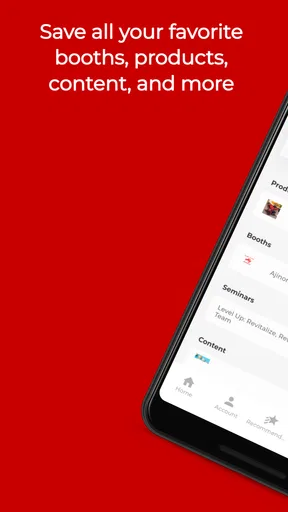
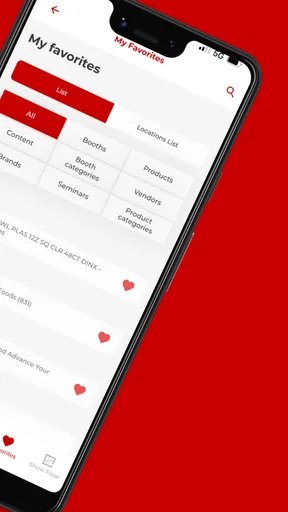
- Browse show details, schedules, and exhibitor information in one place.
- Useful for planning visits to Gordon Food Service events.
- Helps users discover featured products and participating brands.
- Event information can be more convenient than printed materials.
- A focused companion for attendees already familiar with GFS Shows.
Limitations of Gordon Food Service Shows
- Its usefulness is limited outside Gordon Food Service events.
- Some content may only appear shortly before a show begins.
- Event details may vary depending on the selected show or location.
- Users may need an account or registration for certain features.
- The app may offer little value after an event has ended.
Similar Picks in This Category
View All
Easy Quran Mp3 Audio Offline
Muslim Worldapp4.7

Invitation Maker: Cards & RSVP
Greetings Island4.9

StubHub - Live Event Tickets
StubHub4.3

Fever: Events & Tickets
Fever Labs4.7

Epic Freebie Games Radar
Arioch Pds - Apps & Games4.4

Invitation card Maker, Design
Splendid App Maker4.9
Frequently Asked Questions
What is the Gordon Food Service Shows app used for?
Gordon Food Service Shows is designed to support attendees and customers before and during Gordon Food Service events. It can provide show details, schedules, exhibitor or supplier information, product highlights, maps, announcements, and other planning tools. Its usefulness depends on the specific event and the version available, so some sections may only become active shortly before the show begins.
Do I need an account or registration to use Gordon Food Service Shows?
Some features may be available without signing in, such as viewing general event information, dates, locations, or schedules. However, registration or an event-specific login may be required for personalized agendas, session reservations, networking tools, lead collection, or access to restricted content. Before downloading, check the event instructions and use the same email address associated with your Gordon Food Service registration if prompted.
Is Gordon Food Service Shows free to download and use?
The application is generally intended to be downloaded at no additional charge, although participation in a particular Gordon Food Service show may require separate registration or an invitation. The app itself should not be confused with purchasing products or services through Gordon Food Service. Standard mobile data charges may apply when downloading content, syncing updates, or using online features away from Wi-Fi.
Does the app work without an internet connection?
Gordon Food Service Shows may retain certain information after it has been downloaded, allowing you to review saved schedules, basic event details, or other cached content when connectivity is limited. Nevertheless, internet access is usually needed for first-time setup, account verification, live announcements, updated schedules, networking, and synchronized information. For reliable use at the venue, open the app on Wi-Fi before arriving.
What permissions and devices are supported by Gordon Food Service Shows?
The app may request permissions such as notifications, camera access for scanning badges or QR codes, and occasionally location access for venue-related features. These permissions can often be managed in your device settings, although disabling them may limit certain tools. Compatibility depends on the current Android or iOS release and the app’s published requirements, so update your operating system and leave enough storage for event content.
